USB LLMS
Run AI models from a USB stick on macOS, Windows and Linux, with or without the internet.
Start · Interfaces · Models · Offline and online · LvW-harness · Limits




USB LLMS is one small program plus a folder. Put the folder on a stick, and the same models and chats work on every computer you plug it into. Nothing is installed on the computer, and your own Ollama keeps running undisturbed.
It replaces two deprecated projects, USB-Uncensored-LLM and Portable-AI-USB, with a single tool written from scratch. See NOTICE.
Project page: gitguy268.github.io/usb-llms · usb-llms.vercel.app
Install with Homebrew
brew trust gitguy268/tap
brew install gitguy268/tap/usb-llms
Run it locally, step by step
Install Go 1.24 or newer.
Get the code:
git clone https://github.com/Gitguy268/usb-llms.git
cd usb-llms
Build it:
go build -o usb-llms .Set it up while online, with a small first model:
./usb-llms --home ./drive setup --lean --model smollm2-135mOpen the menu: double-click
start.commandon macOS orstart.baton Windows, or runsh start.shon Linux.
Start
- Format the stick as exFAT, so all three systems can use it. Plan for at least 16 GB.
- Copy the release folder onto it.
- While online, open the launcher for your system and choose Set up this computer:
| System | Open this |
|---|---|
| macOS | double-click start.command |
| Windows | double-click start.bat |
| Linux | sh start.sh |
Each computer type needs its engine once. Models are shared between all of them.
Or from a terminal:
usb-llms setup --model llama-3.2-3b     # engine for this computer, plus a first model
usb-llms run hf.co/bartowski/Llama-3.2-3B-Instruct-GGUF:Q4_K_M
What goes where on the drive
USB LLMS/
  start.command  start.sh  start.bat     pick the right program for this computer
  bin/                                   usb-llms for each system
  engine/<system>/                       Ollama, added per system on demand
  models/                                every model, shared by all systems
  data/                                  settings, chats, logs and engine state
Stop the engine before you eject the stick. The terminal interface, web, app, webui and lvw stop an engine they started when you quit them. After usb-llms run, pull, start or similar commands, run usb-llms stop.
The program finds the folder from its own location, so the drive letter or mount point doesn't matter. Pass --home DIR to use another folder.
How much room the engine takes
setup picks lean unless it finds an NVIDIA or AMD GPU. Lean leaves out those GPU libraries and still uses Metal, Vulkan and the CPU. Force a choice with --lean or --full.
| System | Lean | Full |
|---|---|---|
| macOS (on exFAT) | about 580 MB | the same |
| Linux arm64 | about 65 MB | about 2.3 GB |
Linux and macOS engines are unpacked while they download, so the archive never lands on the drive. Windows needs its 1.6 GB zip on the drive during setup.
Interfaces
| Interface | Command | What you get |
|---|---|---|
| Terminal | usb-llms |
menus for chat, models, mode and everything below |
| Web | usb-llms web |
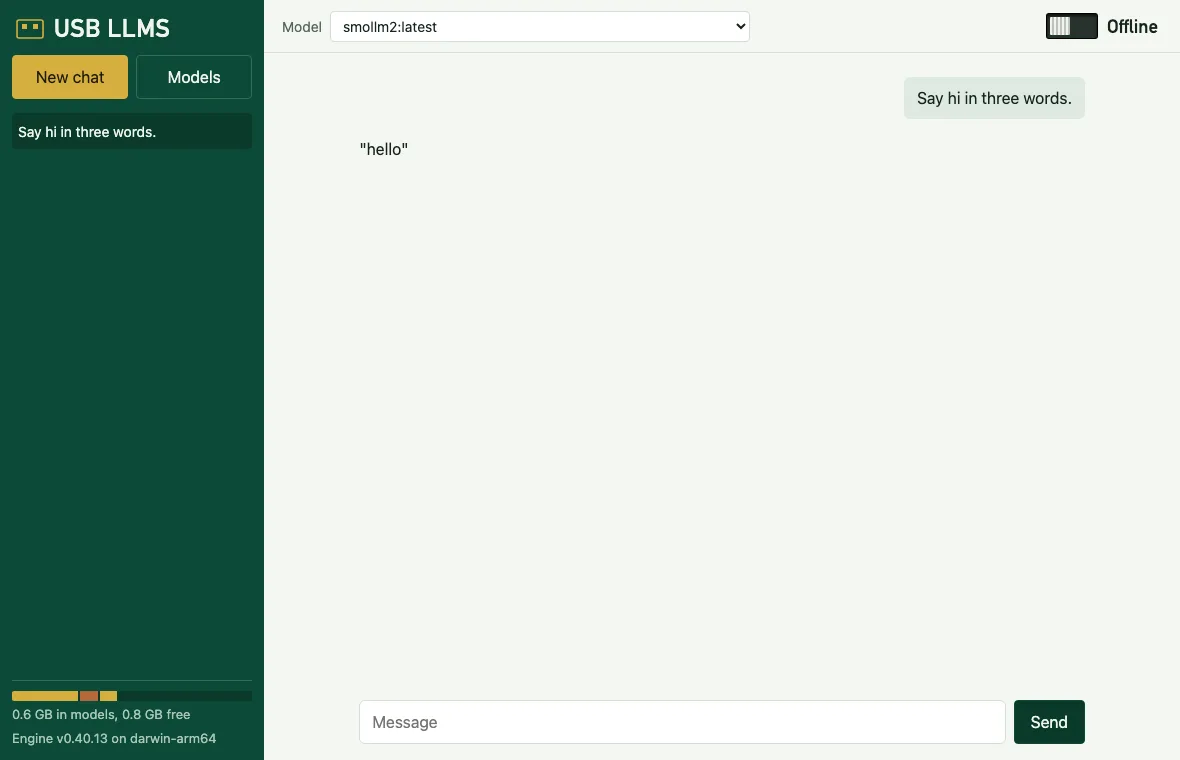
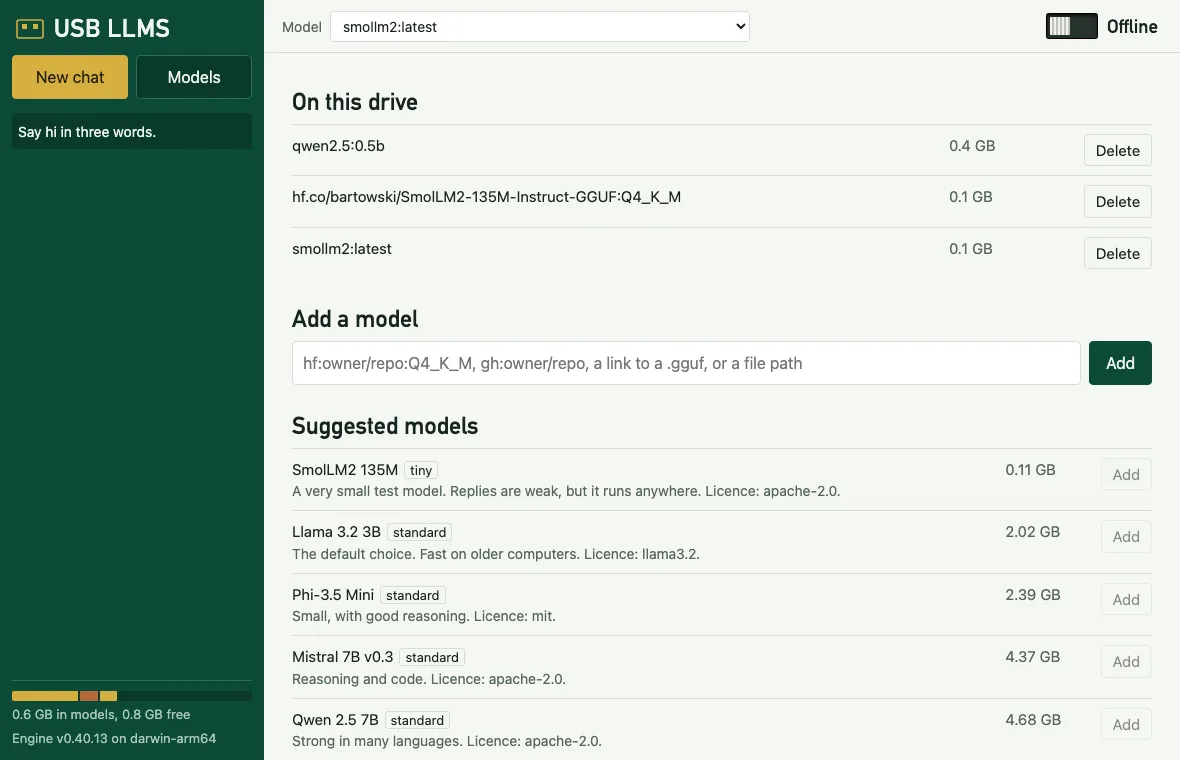
chat, saved chats and a model manager in your browser. Works with no internet |
| App window | usb-llms app |
the same page in its own window, like Ollama's desktop app |
| Ollama commands | usb-llms run, list, ps, show, rm, cp, create |
the real Ollama commands, run against this drive |
| Ollama API | usb-llms serve |
Ollama's API on 127.0.0.1:11435, for any tool that speaks it |
| Open WebUI | usb-llms webui install, then webui start |
the full Open WebUI, unmodified, kept on the drive |
 |
 |
 |
USB LLMS  offline  darwin-arm64

> Chat
  Models on this drive
  Add a model
  Switch to online
  Open the web interface
  Open the app window
  Open Open WebUI
  Run LvW-harness
  Quit
The app window needs Chrome, Edge, Brave or Chromium on the computer, and falls back to a normal browser tab. Its temporary browser profile is deleted when the window closes.
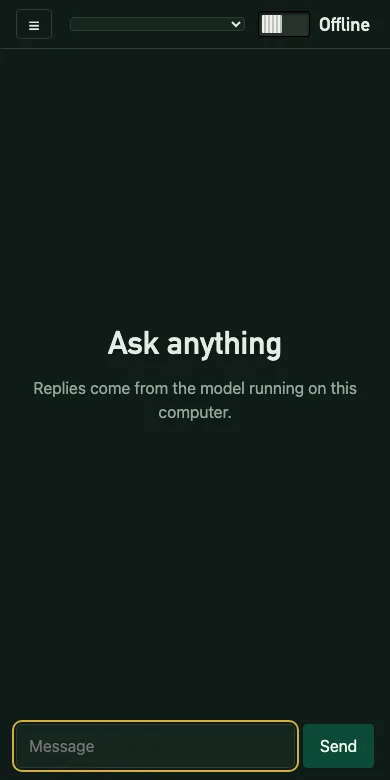
To reach the chat from your phone, run usb-llms web --lan. It prints a link and a QR code with a one-time token. The connection isn't encrypted, so use it only on a network you trust.
Models
usb-llms catalog                                        # suggested models
usb-llms pull llama-3.2-3b                              # by catalogue id
usb-llms pull hf:bartowski/Phi-3.5-mini-instruct-GGUF:Q4_K_M
usb-llms pull gh:modelmaker/aimodel1                    # GitHub release, or Git LFS files in the repo
usb-llms pull gh:modelmaker/aimodel1@v2:Q4_K_M --name mine
usb-llms pull https://example.com/model.gguf
usb-llms pull ./model.gguf
usb-llms pull llama3.2                                  # the Ollama library
usb-llms rm mine
The hf: and gh: forms match LvW-harness, and full huggingface.co and github.com links work too. Only GGUF models run. Set HF_TOKEN or GITHUB_TOKEN for gated or private models and for GitHub's rate limit.
The catalogue
| Id | Size | RAM | Label | Licence |
|---|---|---|---|---|
smollm2-135m |
0.11 GB | 1 GB | tiny | Apache-2.0 |
llama-3.2-3b (default) |
2.02 GB | 4 GB | standard | Llama 3.2 |
phi-3.5-mini |
2.39 GB | 6 GB | standard | MIT |
mistral-7b |
4.37 GB | 8 GB | standard | Apache-2.0 |
qwen2.5-7b |
4.68 GB | 8 GB | standard | Apache-2.0 |
gemma2-2b-abliterated |
1.71 GB | 4 GB | uncensored | Gemma |
dolphin-8b |
4.92 GB | 8 GB | uncensored | Llama 3.1 |
qwen3.5-9b-uncensored |
5.63 GB | 12 GB | uncensored | Apache-2.0 |
nemomix-12b |
7.48 GB | 16 GB | uncensored | not stated |
Models labelled uncensored have had safety refusals removed, and can produce harmful or false text. USB LLMS adds no system prompt to any model. Each model's own licence applies.
Offline and online
usb-llms mode offline    # the default once a model is on the drive
usb-llms mode online
Offline blocks every outside connection: USB LLMS's own requests are refused, Ollama's cloud features are off, and the engine, Open WebUI and LvW-harness get a dead proxy address.
Online allows model and engine downloads, plus remote OpenAI-compatible services:
export OPENROUTER_API_KEY=...
usb-llms remote add openrouter https://openrouter.ai/api/v1 OPENROUTER_API_KEY
Only the variable's name is saved, so a lost stick can't leak your key. A key is never sent over plain http to another machine.
The engine's home folder and temp files stay on the drive, so it leaves no files on the computer.
LvW-harness
LvW-harness is an agent that can edit files and run commands. USB LLMS can carry it and point it at the drive's models.
usb-llms lvw install /path/to/lvw       # copies the program onto the drive (about 78 MB)
usb-llms lvw run "Summarize this folder"
Its settings stay in data/lvw on the drive, and the engine address updates itself if the port changes. Offline mode applies to it too. Models without tool support, such as SmolLM2, can chat but can't use its tools. For agent work, use a tool-capable model of 3B or larger, because tiny ones call tools badly.
Limits
What has and hasn't been tested, as of version 0.1.0:
| Tested for real | How |
|---|---|
| macOS on Apple silicon | a simulated exFAT disk image: engine setup, chat on the GPU |
| Downloads | live pulls from Hugging Face and the Ollama library, and from GitHub repo files. GitHub release assets were tested against a mock only |
| Offline mode | replies with outside network blocked by the OS, refused pulls, and no files left in the host's home or temp folders |
| Web, app window and terminal interfaces | a browser test, a headless window lifecycle test and a pseudo-terminal test, each with a real model reply |
| Open WebUI | a full install on exFAT (3.5 GB), a clean first start with outside network blocked, its page loading in a browser, and a chat through it |
| LvW-harness | run from the drive with a real reply. A tool call reached the harness and came back, but the 0.5B test model sent empty arguments, so useful tool work with a small local model is unproven |
| Not tested | Note |
|---|---|
| Windows | builds, and has a CI job, but has never been run. Expect rough edges in start.bat and in stopping the engine |
| Linux | builds, and has a CI job. Its lean filter was checked against the real archive listing, but it hasn't been run |
| A real USB stick | only an exFAT disk image. Real sticks are slower, and first starts can take minutes |
| Intel Macs, NVIDIA and AMD GPUs, and Linux x64 | no such hardware was available |
web --lan from a second device |
the token rules and QR code were tested on one machine only |
Other limits:
- The drive isn't encrypted. See SECURITY.
- Offline mode isn't a firewall. It stops programs that respect proxy settings, which includes everything USB LLMS starts. A model can't reach the network, but a tool you run through LvW-harness could ignore those settings.
- LvW-harness browser tools use the host's temp folder, because browsers can't keep a profile on exFAT.
- Split GGUF files aren't supported from GitHub or direct links. Pick a single-file version.
- GitLab specs aren't supported, unlike in LvW-harness. Use the file's direct link.
- Unsigned programs. macOS or Windows may warn the first time.
start.commandclears the macOS download flag for this folder.
Build
go test ./...
sh scripts/build.sh                # every system, into bin/
sh scripts/build.sh darwin-arm64   # just one
See CONTRIBUTING for the test scripts, SECURITY for what is and isn't protected, and NOTICE for credits.
Licence
MIT, © Lucas Van De Weerd. Ollama, Open WebUI and the models keep their own licences and are downloaded separately. USB LLMS isn't affiliated with any of the projects it uses.